“Storage Full”?
Not anymore.
Photo Cleaner+ finds duplicate and blurry photos, forgotten screenshots and huge videos, then lets you clear them in one tap. Your favourite memories stay where they are.

Your iPhone fills up faster than you think
Thousands of photos pile up quietly. Finding what's safe to delete takes hours, so most of us never do it.
Copies everywhere
Burst shots, saved images and the five takes of the same selfie all use space you'll never get back on your own.
No time to sort
Scrolling through years of camera roll to find blurry shots and old screenshots is tedious and easy to put off.
Updates that won't install
A full phone means no room for new photos, new apps or the iOS update you've been postponing for weeks.
A cleaner phone in 3 simple steps
No complicated settings. Open the app, review what it found, and clean.
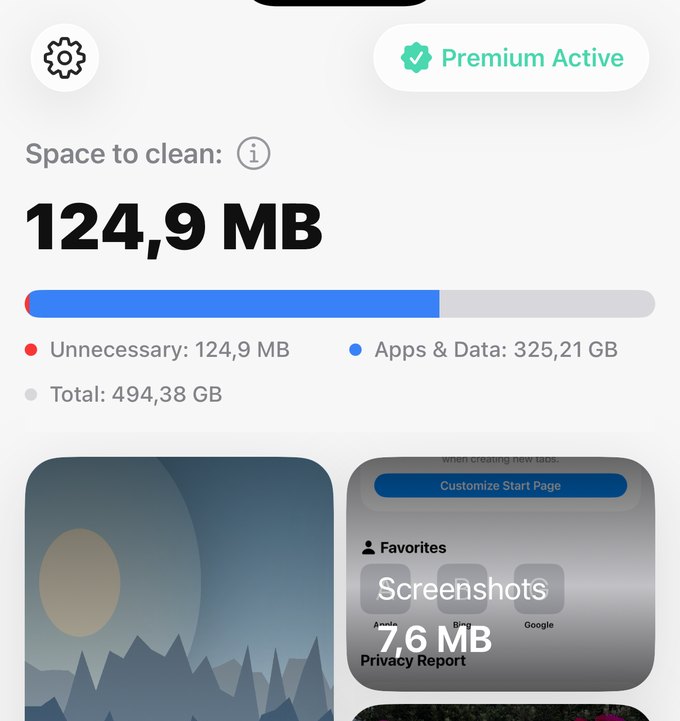
Run a Smart Scan
The app analyses your library on-device and shows how much space each category takes.
Review before you delete
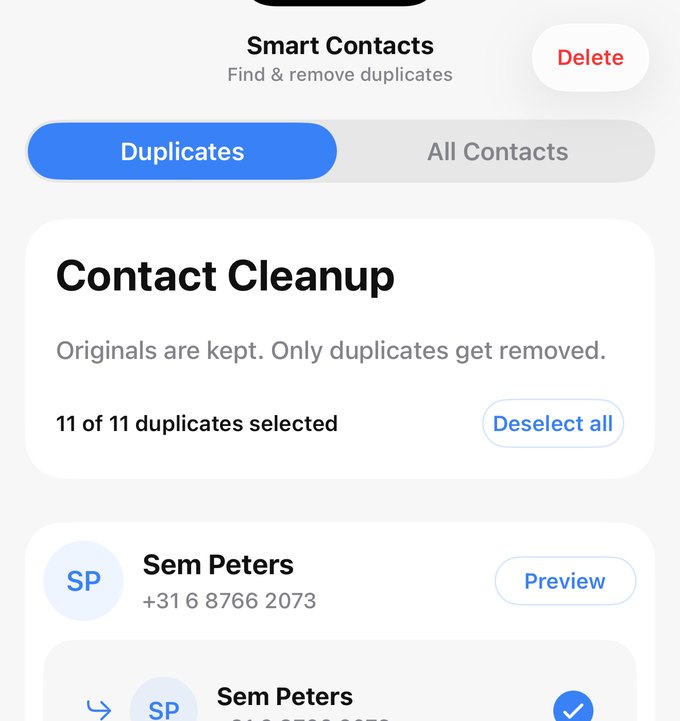
Nothing goes without your OK. For contacts, originals are kept and only the duplicates are removed.
Free up space
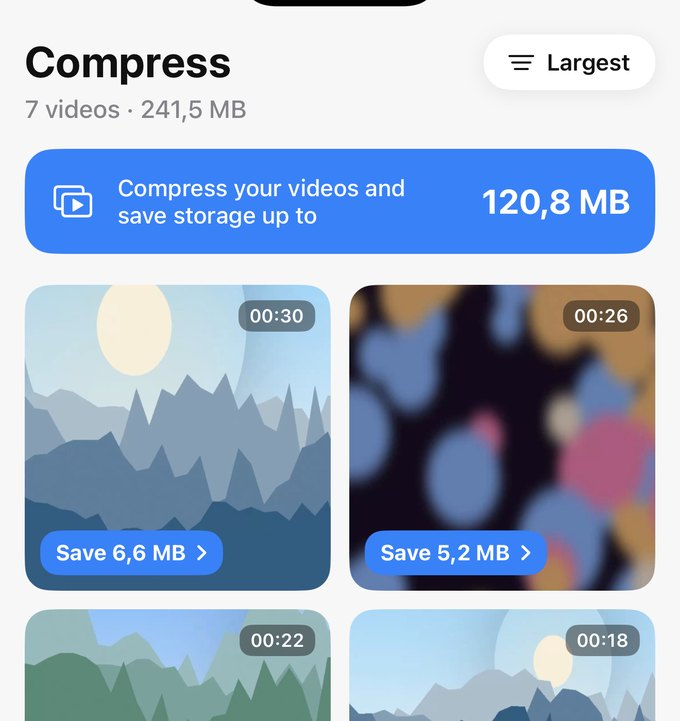
Delete what you selected, or compress big videos so you keep them at a fraction of the size. Deleted photos and videos stay in the “Recently Deleted” album of Apple's Photos app for 30 days, so you can still get them back.
Everything you need to reclaim your storage
One app for the photos, videos and contacts that clutter your iPhone.
Smart Scan
See at a glance what's using your storage and how much you can get back.
Duplicates & Similar
Groups identical and look-alike shots and keeps the best one in each set.
Blurry Photos
Spots out-of-focus and accidental shots you'd never keep on purpose.
Screenshots & Text
Collects old screenshots and photos of receipts, notes and documents in one place.
Large Videos
Sort your videos by size to find the biggest space-eaters fast.
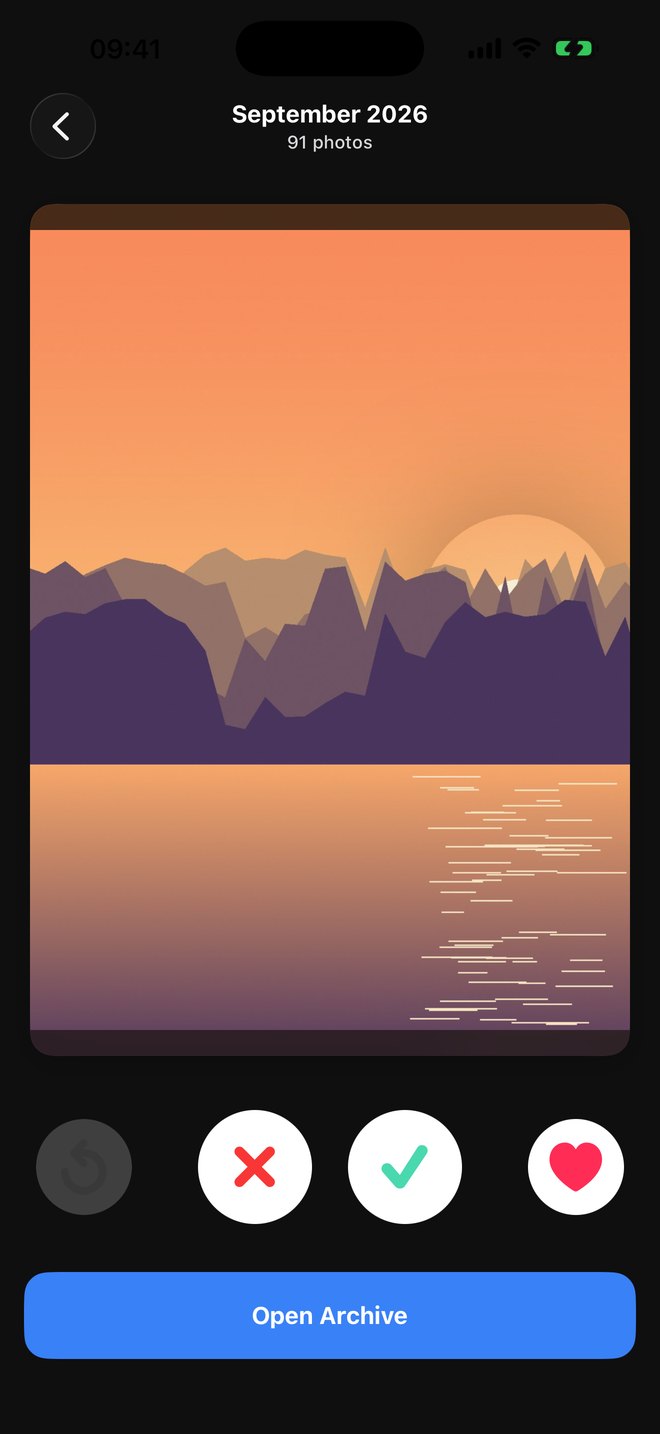
Swipe to Clean
Go through your photos one by one: swipe to keep or set aside, then delete everything you set aside in one go.
Contacts Cleanup
Finds duplicate contacts and tidies up your address book.
Private by Design
Photo and contact analysis runs entirely on your iPhone. Nothing is uploaded.
Your photos never leave your phone
Duplicate detection, blur detection and text recognition all run on your iPhone with Apple's on-device frameworks. We never see, store or upload your photos, videos or contacts.
- On-device analysis, no cloud uploads
- No account or sign-up needed
- Deleted photos go to “Recently Deleted” first
- Payments handled securely by Apple
Frequently asked questions
Will the app delete my photos without asking?
Never. Photo Cleaner+ only suggests what can be removed. Nothing is deleted until you confirm it, and iOS asks you to approve every deletion as well. Even then, deleted photos and videos stay in the “Recently Deleted” album of Apple's Photos app for 30 days.
Can I get deleted photos back?
Yes. Deleted photos and videos go to the “Recently Deleted” album in Apple's Photos app, where they stay for 30 days. Open Photos → Albums → Recently Deleted to restore them. To get the space back straight away, empty that album after cleaning. Deleted contacts can't be restored from the app, but if you use iCloud you can restore an earlier version of your contacts at iCloud.com.
Does it clean Files or the gray “System Data”?
No. iOS doesn't let third-party apps clean other apps' storage, your files or System Data, whatever some apps may claim. Photo Cleaner+ focuses on what Apple does allow: your photos, videos and contacts, which is usually where most reclaimable space is.
Are my photos uploaded anywhere?
No. All analysis happens on your device. Your photos, videos and contacts are never sent to us or to any server.
Is Photo Cleaner+ free?
The app is free to download, and you can scan your library for free. Some cleaning features need Premium, which is available as a subscription or a one-time lifetime purchase. Prices are shown in the app before you buy.
How do I cancel my subscription?
Open the Settings app on your iPhone, tap your name, then Subscriptions, and choose Photo Cleaner+. Cancel at least 24 hours before the renewal date to avoid being charged for the next period.
Which devices are supported?
Any iPhone running iOS 16.6 or later.
How can I contact you?
Email us at support@pmapps.online. We'll get back to you as soon as we can.

Give your iPhone room to breathe
Download Photo Cleaner+ and see how much space you can free up today.